
The Husky Portal
Your Portal provides you with a simple, centralised way to manage and understand the company’s workplace pension.
Clear visibility of your scheme, including:
Workplace pension information, helping you understand your scheme and how it operates.
Contributions due and payments submitted, providing a clear view of your pension contribution activity.
Auto-enrolment communications, with all communications issued to workers accessible in one convenient location.
Husky for Everyone App invitations, allowing you to invite workers to access and engage with their workplace pension through the app.
Your company Pension set up, configure which Tax treatment and earnings basis to use, company default contribution percentages.
Salary Exchange set up, allow workers to apply and request changes to Salary Exchange and set the National Insurance Reinvestment Percentage for your company.
Employer contribution matching, allows you to set ranges to automatically match workers contribution amount.
Flexible, Tailored set up, including: Multiple schemes and Paygroups. Settings for Salary Exchange, Pension contribution calculations, default company contribution percentages, earrings basis and contribution matching can be configured for your company and for each individual worker
The Husky for Everyone App gives workers a convenient way to stay connected with their workplace pension, helping them better understand their pension and engage with their savings.
Workers can request and sign Salary Exchange agreements in the app and request contribution changes. Worker requests are shown on your Portal for approval or if needed they can be rejected with a reason. The worker will see the reason in their app and can then make any changes required and resubmit their request.
Together, the Husky Portal and Husky for Everyone App provide a seamless experience for both employers and workers, making workplace pensions easier to manage, understand and engage with.
Overview
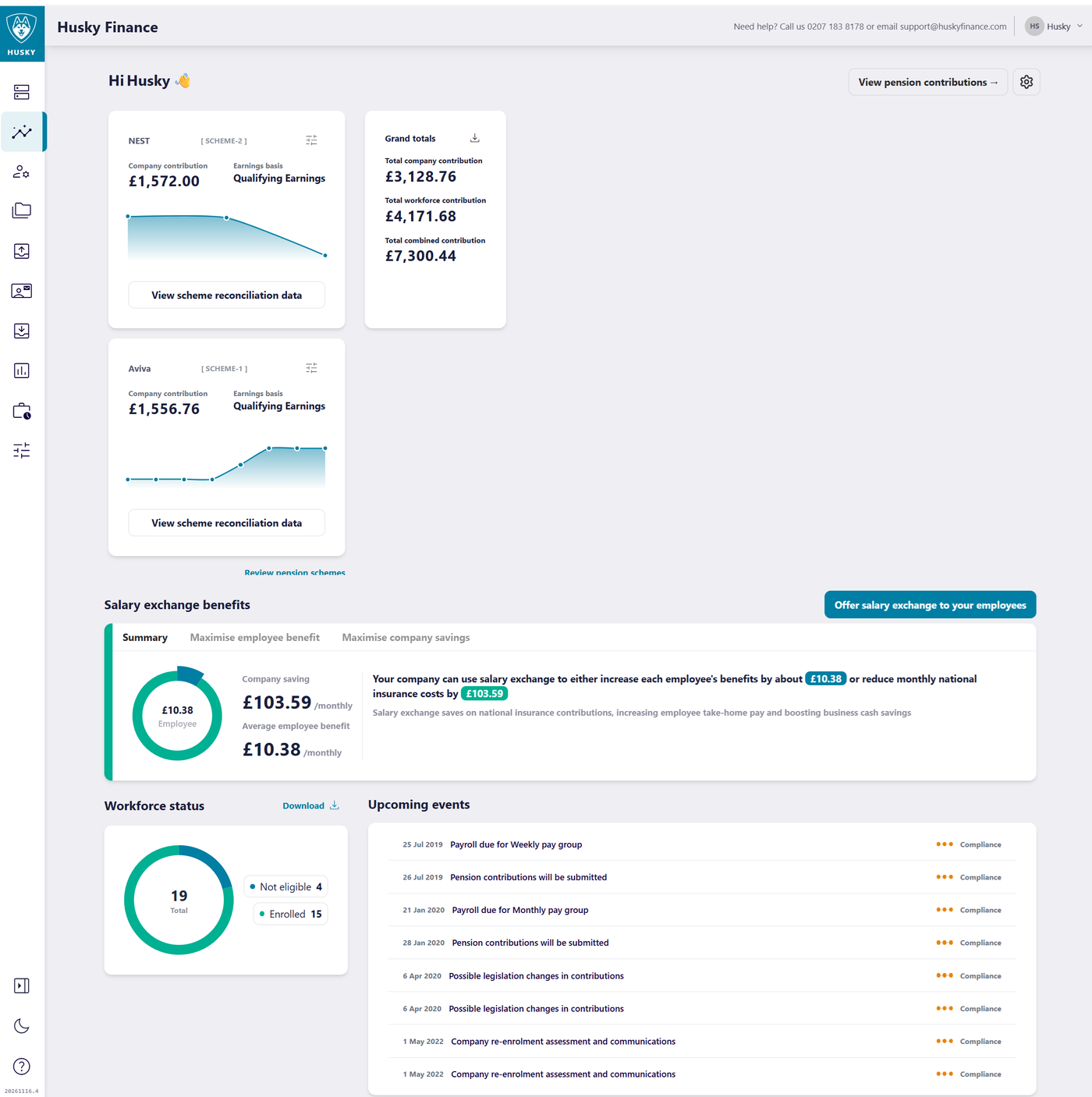
The Portal Overview, will provide a summary of key pension information:
Pension Scheme details: Scheme reference, earnings basis and tax treatment of the scheme
Pension Contributions paid to date: clicking the download button will allow date ranges to be selected and downloaded to show a breakdown of these costs per pay period
Current payroll estimated costs (the open payroll period): This will show the current open contributions. This may not be finalised with payroll and are indicative based on the prior pay period submission.
Workforce Status: Classifies the workers into enrolled or not yet enrolled. Clicking the download button will allow date ranges to be selected and data downloaded to show a breakdown of these costs per pay period for all workers.
Managing workers
Worker app access: Send an employment link code to enrolled workers who have a valid email address recorded in Husky. Worker can download the app an link their employment via the code email to them. Workers can then see their pension contributions and make and manage their requests.
You can set worker invites to be issued to Eligible workers automatically.
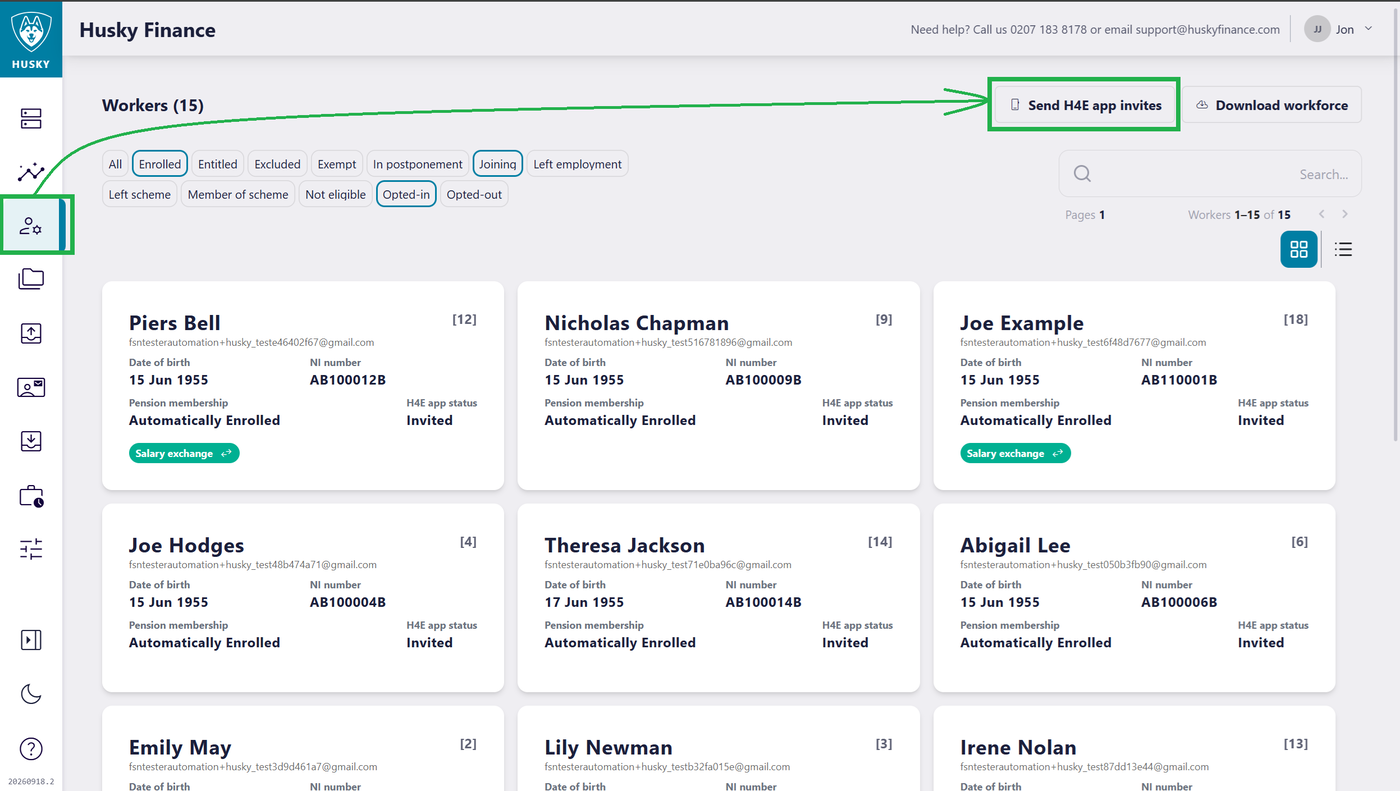
*It is recommended that the email addresses are verified under the Workforce Section to ensure access to personal data is sent to the correct individuals.
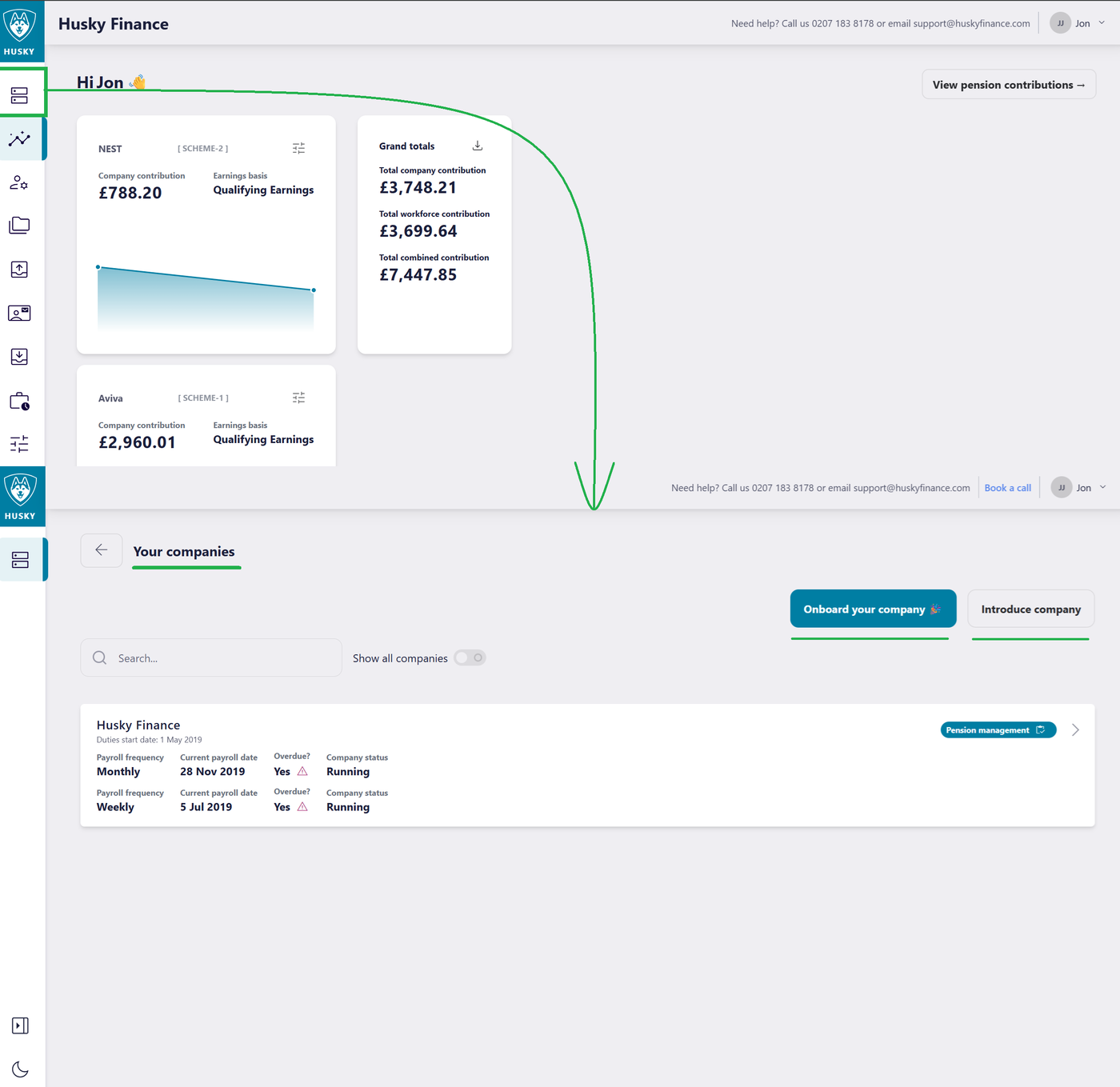
Your Companies: This section provides quick access to any companies on your portal that have been registered. Here you can open any company on your portal, register new companies (Onboard) and make referrals (Introduce)
Workforce
The workforce section will show the current workers active as of the last pay period and their current pension status. The filter on this page will be pre-set to show “Eligible Jobholders” and “Opted In” workers – i.e. Enrolled members of the workplace pension. This filter can be amended to show all workers.
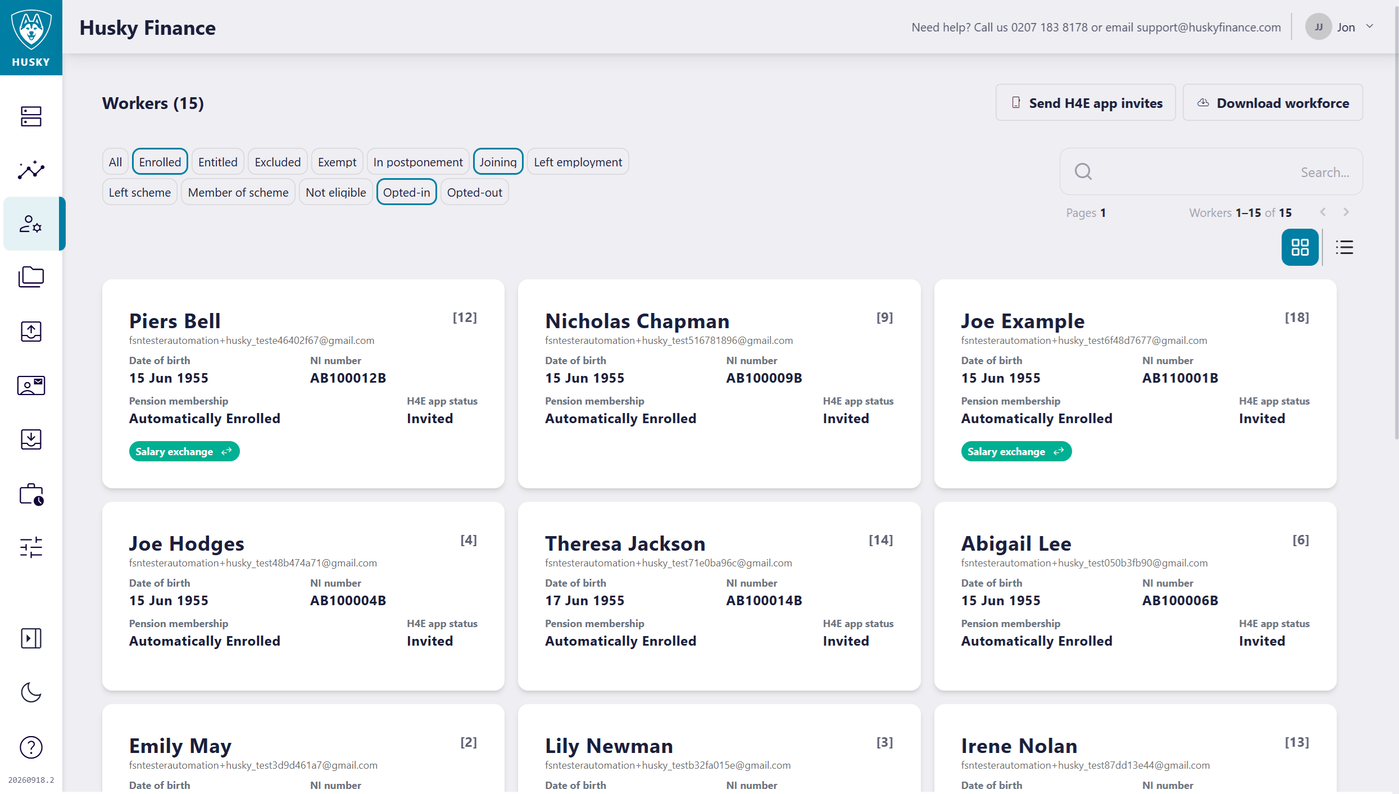
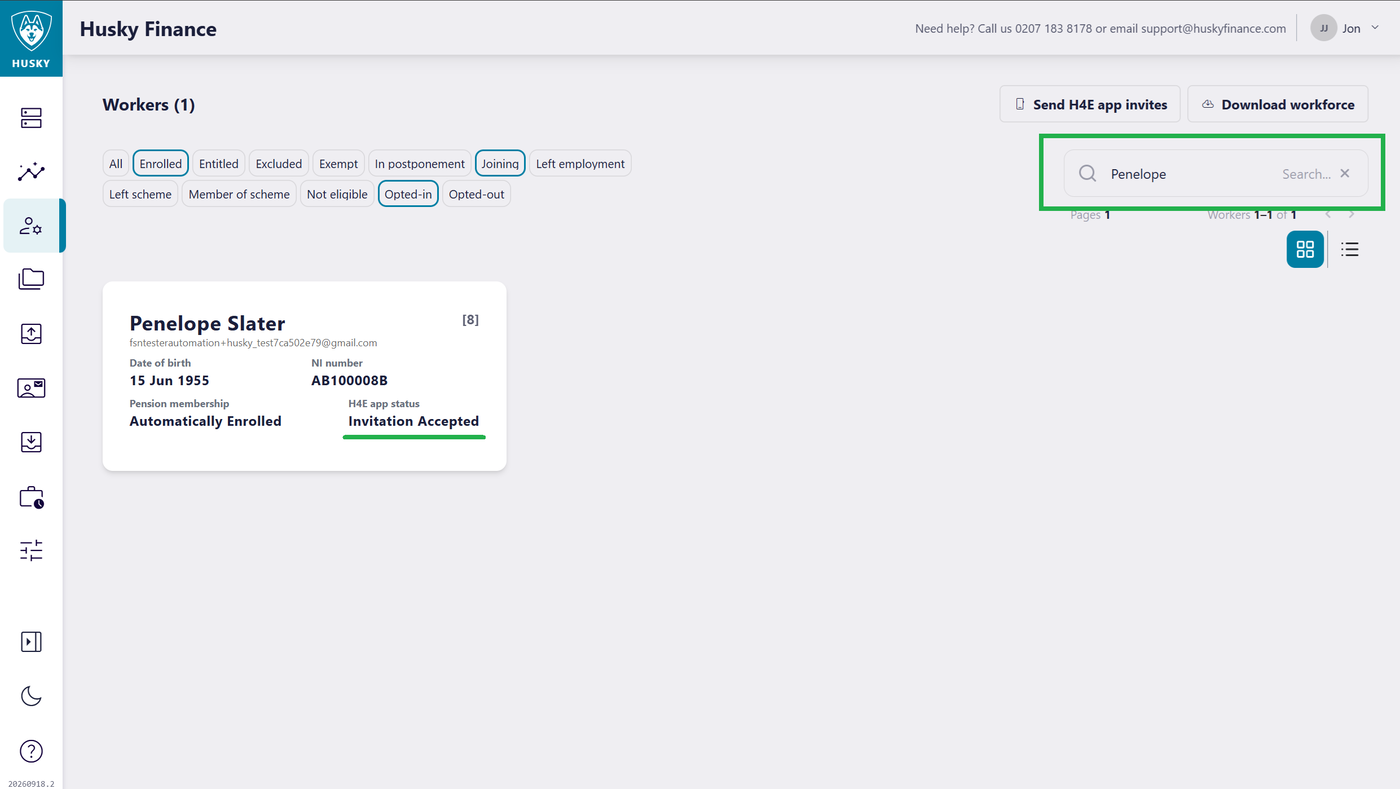
There will be one of three statuses for the H4E app:
Uninvited: Worker has not been issued an email activation code.
Invited: Worker has been issued an email activation code but has not yet linked their employment.
Invitation Accepted: Worker has linked their employment active in the Husky for Everyone app.
You can view worker records by clicking on a worker. Here you can see the workers Husky mobile app account details.
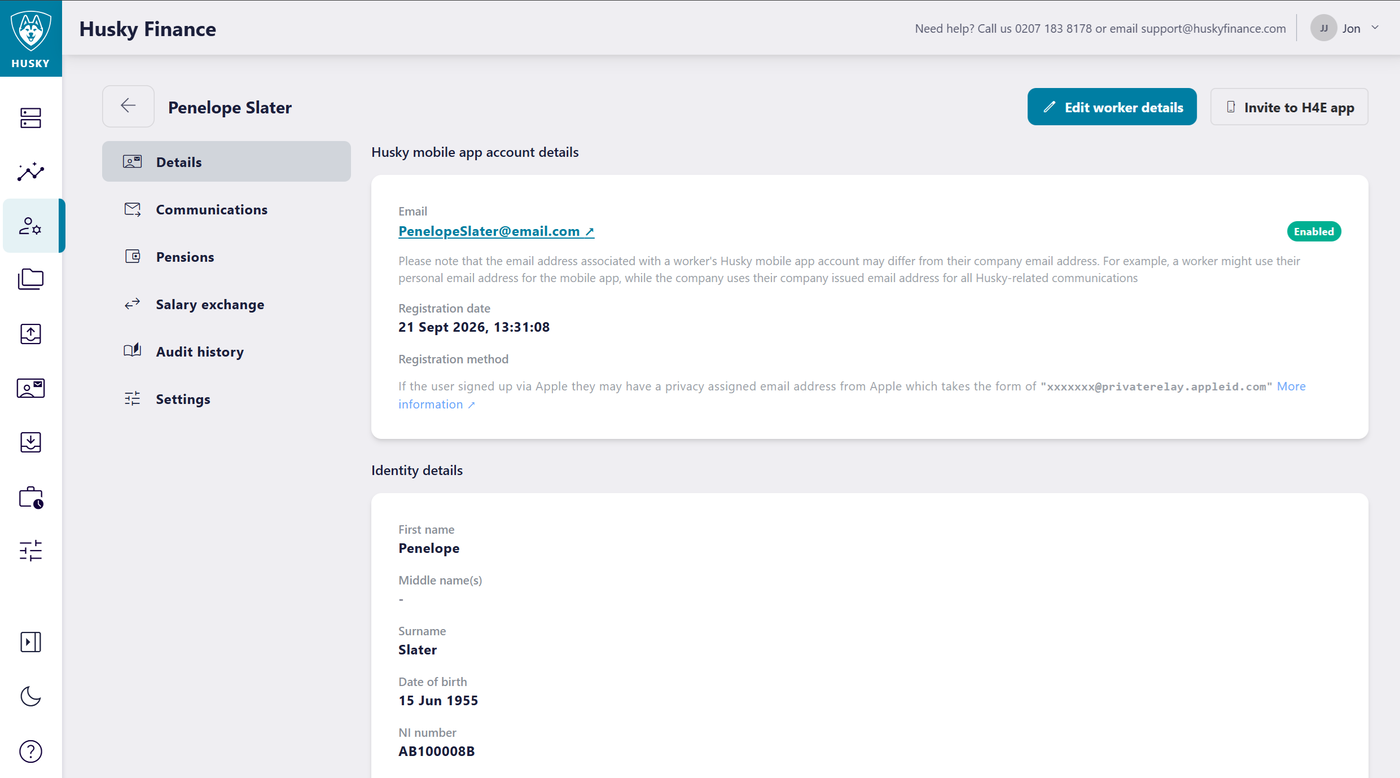
Worker details page:
Details, View and edit worker details including the email address used to invite the worker to use the Husky for Everyone app.
Communications, view Auto Enrolment letters sent to the worker*
Pensions, set the workers individual Earnings basis, this can be different form the company setting.
Salary Exchange, view a workers current Salary Exchange agreement and a history of any past Salary Exchange agreements.
Audit History, view a log of the workers actions in Husky
Settings, contains per worker settings EG Allow Salary Exchange applications will show or hide the application option in the Husky for Everyone app for an individual worker.
*in some instance, communications may appear as issued to support@huskyfinance.com. Our support team will have sent these communications directly to the workers or company outside of the Husky platform.
Future Development
The Husky platform is continually evolving, with ongoing investment in new features, enhancements and functionality. We regularly listen to feedback from employers and workers to identify opportunities to improve the experience and add greater value.
Our aim is to continually develop the platform, making it simpler, more intuitive and more useful for both employers and workers. As the product evolves, customers can expect a growing range of tools and features designed to make managing and engaging with workplace pensions easier.
